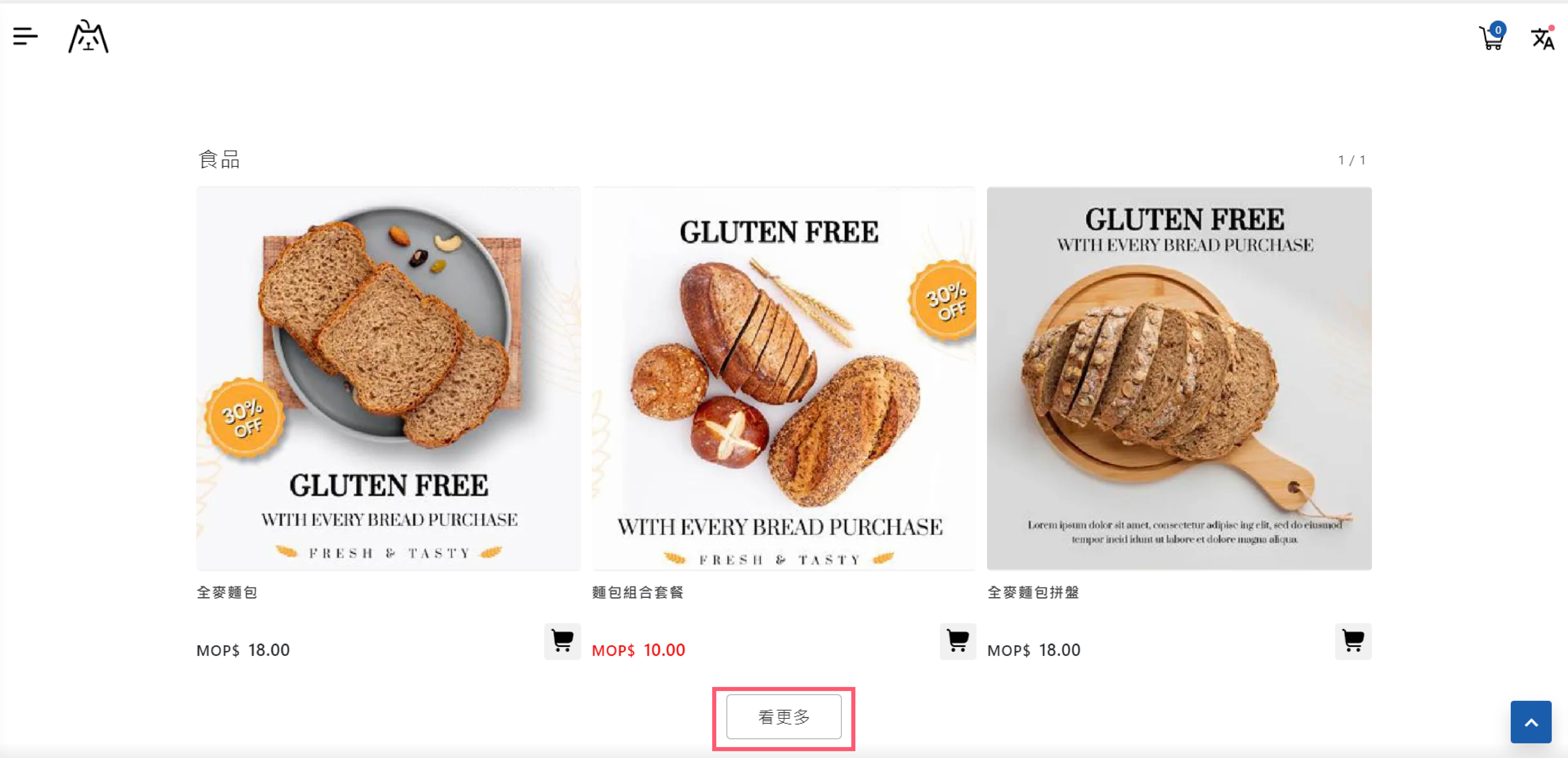
> For the complete documentation index, see [llms.txt](https://help.cube.mo/llms.txt). Markdown versions of documentation pages are available by appending `.md` to page URLs; this page is available as [Markdown](https://help.cube.mo/kai-dian-zhi-nan/wang-zhan-she-zhi/dian-pu-she-zhi/dian-pu-zi-xun/kan-geng-duo-an-niu.md).

# 看更多按鈕

點擊菜單「網站設置」->「店鋪資訊」，找到看更多按鈕。

輸入「看更多按鈕」的文本内容。

<figure><img src="https://2949966653-files.gitbook.io/~/files/v0/b/gitbook-x-prod.appspot.com/o/spaces%2FdYY8T3bU6FOxyrweXXUf%2Fuploads%2FVyKVcPOGfuPNx5zGVjeV%2F25.jpg?alt=media&amp;token=7a6e7a3f-16b1-43fd-9f11-fe7522c8be3d" alt=""><figcaption><p>「看更多按鈕」編輯界面</p></figcaption></figure>

編輯完成后，可在店鋪主頁内查看。

<figure><img src="https://2949966653-files.gitbook.io/~/files/v0/b/gitbook-x-prod.appspot.com/o/spaces%2FdYY8T3bU6FOxyrweXXUf%2Fuploads%2FI48svnJsPzeKn25iPgbg%2F22.jpg?alt=media&amp;token=f8143a44-0fdc-4546-a44c-0176c74fe91e" alt=""><figcaption><p>「我的店鋪」頁面</p></figcaption></figure>