> For the complete documentation index, see [llms.txt](https://help.cube.mo/llms.txt). Markdown versions of documentation pages are available by appending `.md` to page URLs; this page is available as [Markdown](https://help.cube.mo/kai-dian-zhi-nan/wang-zhan-she-zhi/dian-pu-she-zhi/dian-pu-zi-xun/lie-biao-yin-cang-jia-ru-gou-wu-ju-an-niu.md).

# 列表隱藏加入購物車按鈕

### 1. 設定位置

請前往後台管理介面，依序點選：\
\&#xNAN;**「網站設置」** -> **「店鋪設置」** -> **「店鋪資訊」**

在頁面中找到 **「列表隱藏加入購物車按鈕」** 選項。
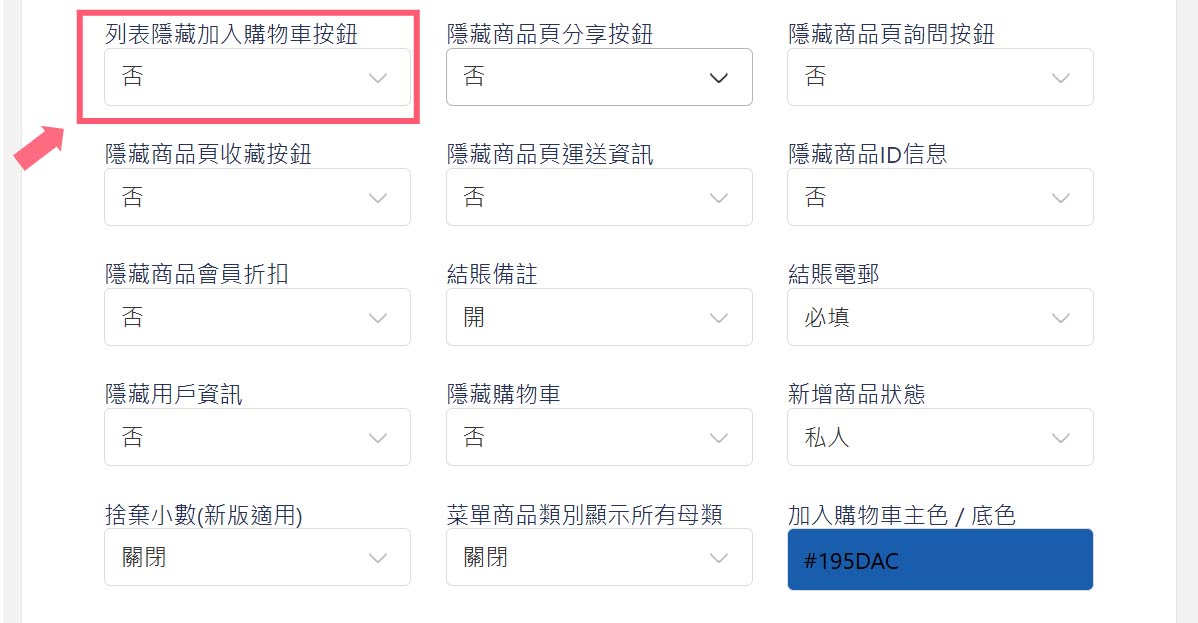
<figure><img src="/files/HhRh20AafXXxuNhzyjBr" alt=""><figcaption><p>列表隱藏加入購物車按鈕界面</p></figcaption></figure>

### 2. 功能說明

點擊選項可進行切換，設定如下：

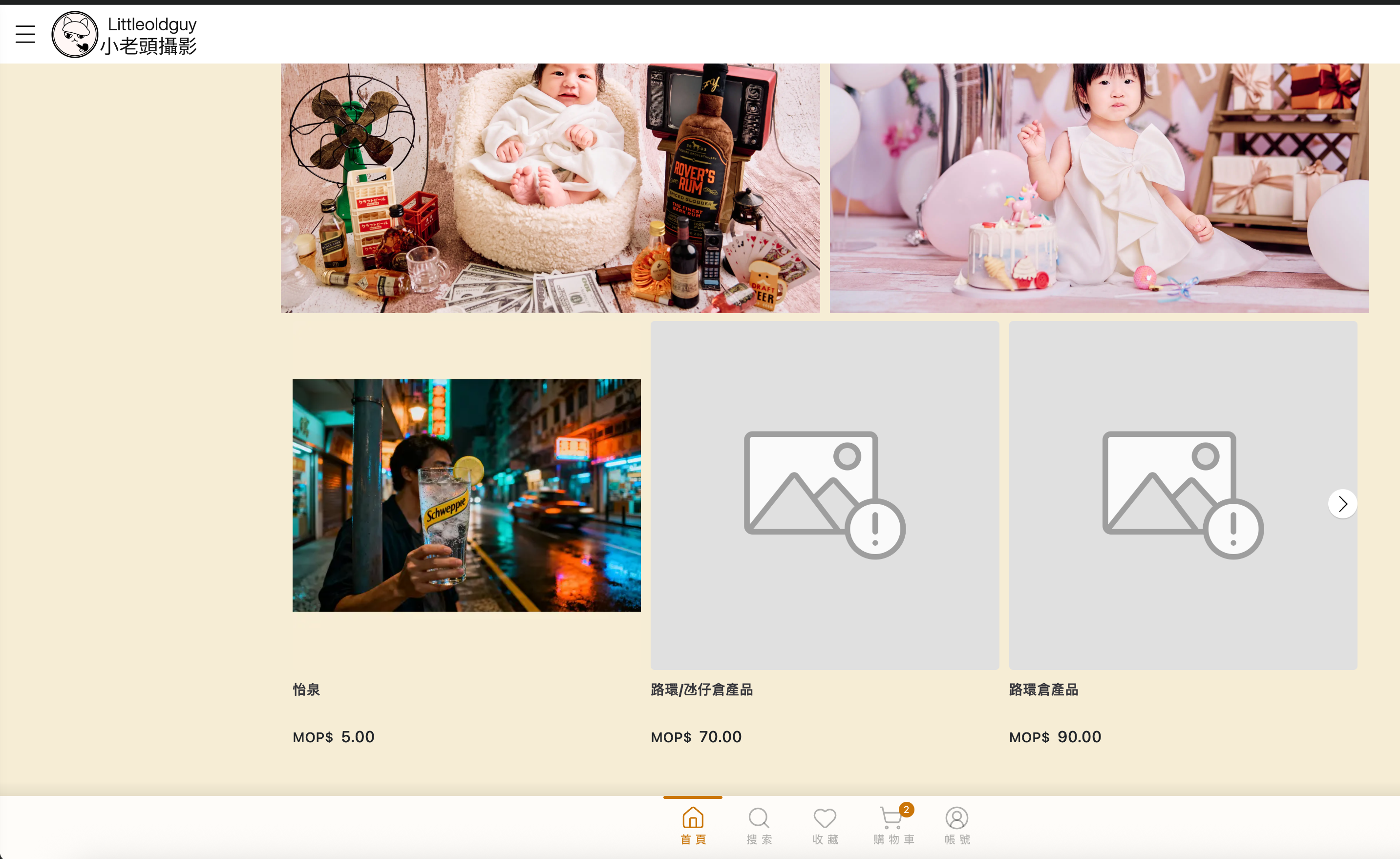
* **是 (Yes)**：**隱藏按鈕**。\
  在商品列表瀏覽時，顧客只會看到商品圖片與價格，必須點進商品詳情頁才能進行購買。這適合希望顧客先閱讀詳細資訊再下單的商品。

  <figure><img src="/files/x6BiK2mTZEjOEjE5o7H4" alt=""><figcaption></figcaption></figure>

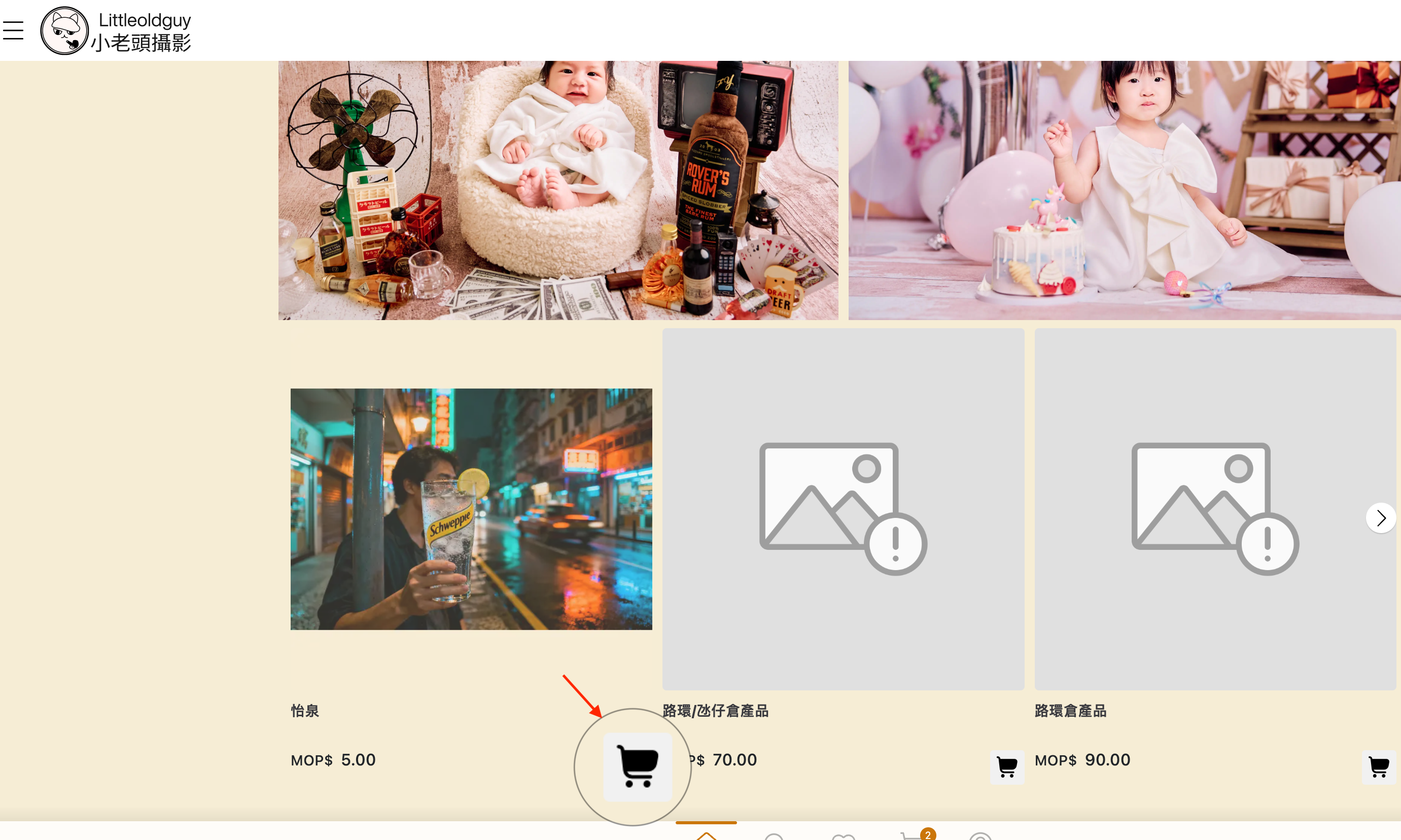
* **否 (No)**：**顯示按鈕**（預設值）。\
  在商品列表頁直接顯示「加入購物車」按鈕。顧客無需進入內頁即可快速將商品加入購物車，適合標準化或顧客熟悉的商品（如超市型商品）

  <div align="left"><figure><img src="/files/UWL7BapeupZMgLnDlgZf" alt=""><figcaption></figcaption></figure></div>

### 3. 效果展示

* **設定為「是」（隱藏）時**：\
  商品列表頁面乾淨簡潔，僅顯示商品圖片與資訊，引導顧客點擊進入內頁。

<figure><img src="/files/NaZmOHPRLMivVY6BriR1" alt="" width="375"><figcaption></figcaption></figure>

* **設定為「否」（顯示）時**：\
  商品列表頁面會出現購物車圖示按鈕，方便快速選購。

  <br>

  <figure><img src="/files/LXDmLyBedaCNQLBIW5FF" alt="" width="375"><figcaption></figcaption></figure>


---

# Agent Instructions
This documentation is published with GitBook. GitBook is the documentation platform designed so that both humans and AI agents can read, navigate, and reason over technical content effectively. Learn more at gitbook.com.

## Querying This Documentation
If you need additional information that is not directly available in this page, you can query the documentation dynamically by asking a question.

Perform an HTTP GET request on the current page URL with the `ask` query parameter, and the optional `goal` query parameter:

```
GET https://help.cube.mo/kai-dian-zhi-nan/wang-zhan-she-zhi/dian-pu-she-zhi/dian-pu-zi-xun/lie-biao-yin-cang-jia-ru-gou-wu-ju-an-niu.md?ask=<question>&goal=<endgoal>
```

`ask` is the immediate question: it should be specific, self-contained, and written in natural language.
`goal` is optional and describes the broader end goal you are ultimately trying to accomplish on behalf of the user. GitBook uses it to tailor the answer towards what is most useful for that goal.

The response will contain a direct answer to the question and relevant excerpts and sources from the documentation.

Use this mechanism when the answer is not explicitly present in the current page, you need clarification or additional context, or you want to retrieve related documentation sections.