> For the complete documentation index, see [llms.txt](https://help.cube.mo/llms.txt). Markdown versions of documentation pages are available by appending `.md` to page URLs; this page is available as [Markdown](https://help.cube.mo/kai-dian-zhi-nan/wang-zhan-she-zhi/dian-pu-she-zhi/dian-pu-zi-xun/yin-cang-shang-pin-ye-yun-song-yun-fei-mian-yun-fei-deng-zi-xun.md).

# 隱藏商品頁運送、運費、免運費等資訊

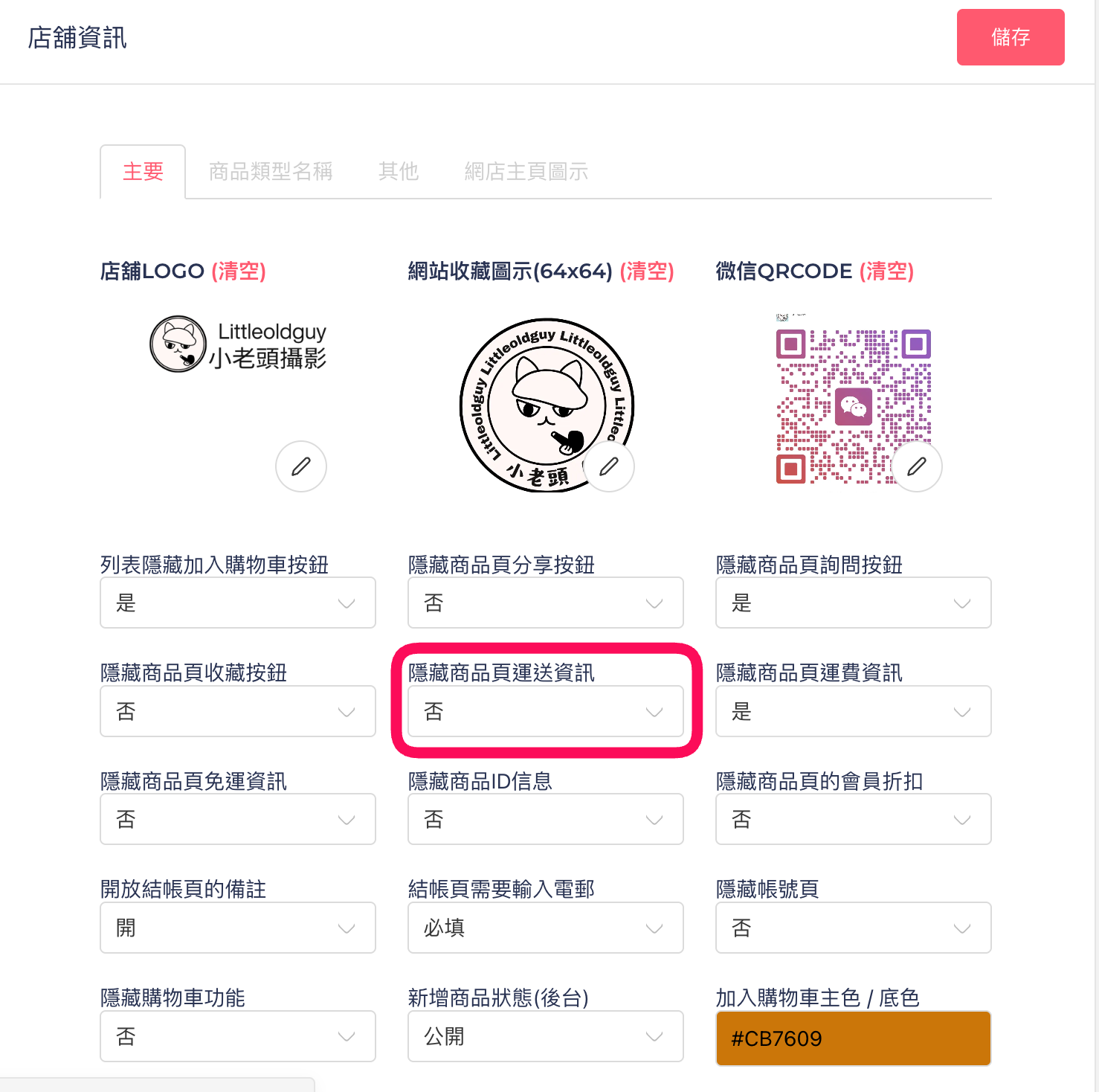
點選菜單「網站設置」->「店鋪資訊」，找到隱藏<mark style="background-color:red;">商品頁運送資訊</mark>，如下圖：

<figure><img src="/files/MskZio2c5J7uretDZJb1" alt=""><figcaption></figcaption></figure>

點選「隱藏商品頁運送資訊」，可選擇列表是否隱藏商品頁運送資訊。

### <mark style="background-color:orange;">隱藏商品運費資訊</mark>

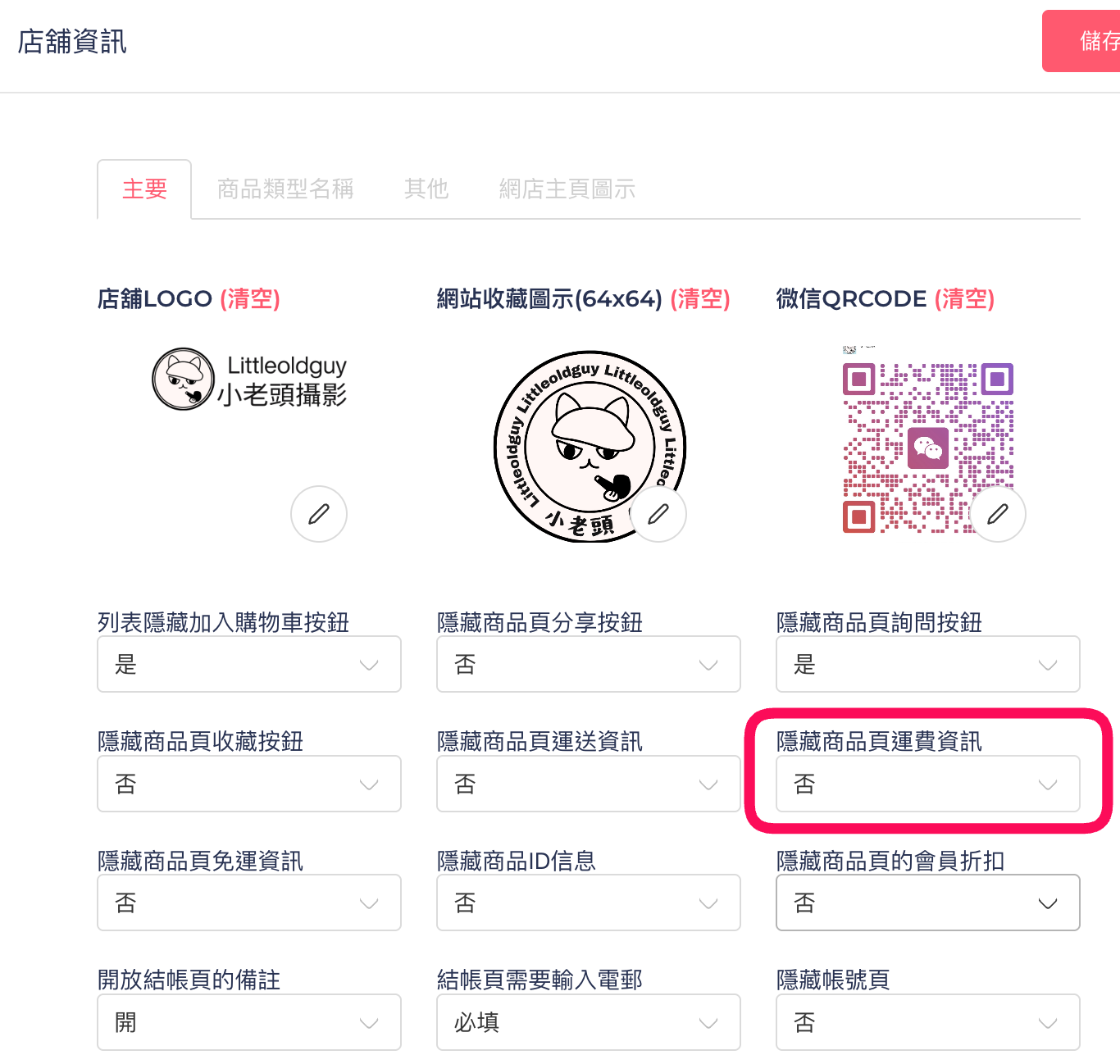
點選菜單「網站設置」->「店鋪資訊」，找到隠藏商品運費資訊資訊，如下圖：

1. **若不需在商品頁面顯示運送資訊，可點選「**<mark style="background-color:orange;">隱藏商品運費資訊</mark>**」開關。**

   <figure><img src="/files/UjBG7xWgQpxLjrH5NbXy" alt=""><figcaption><p>圖示</p></figcaption></figure>
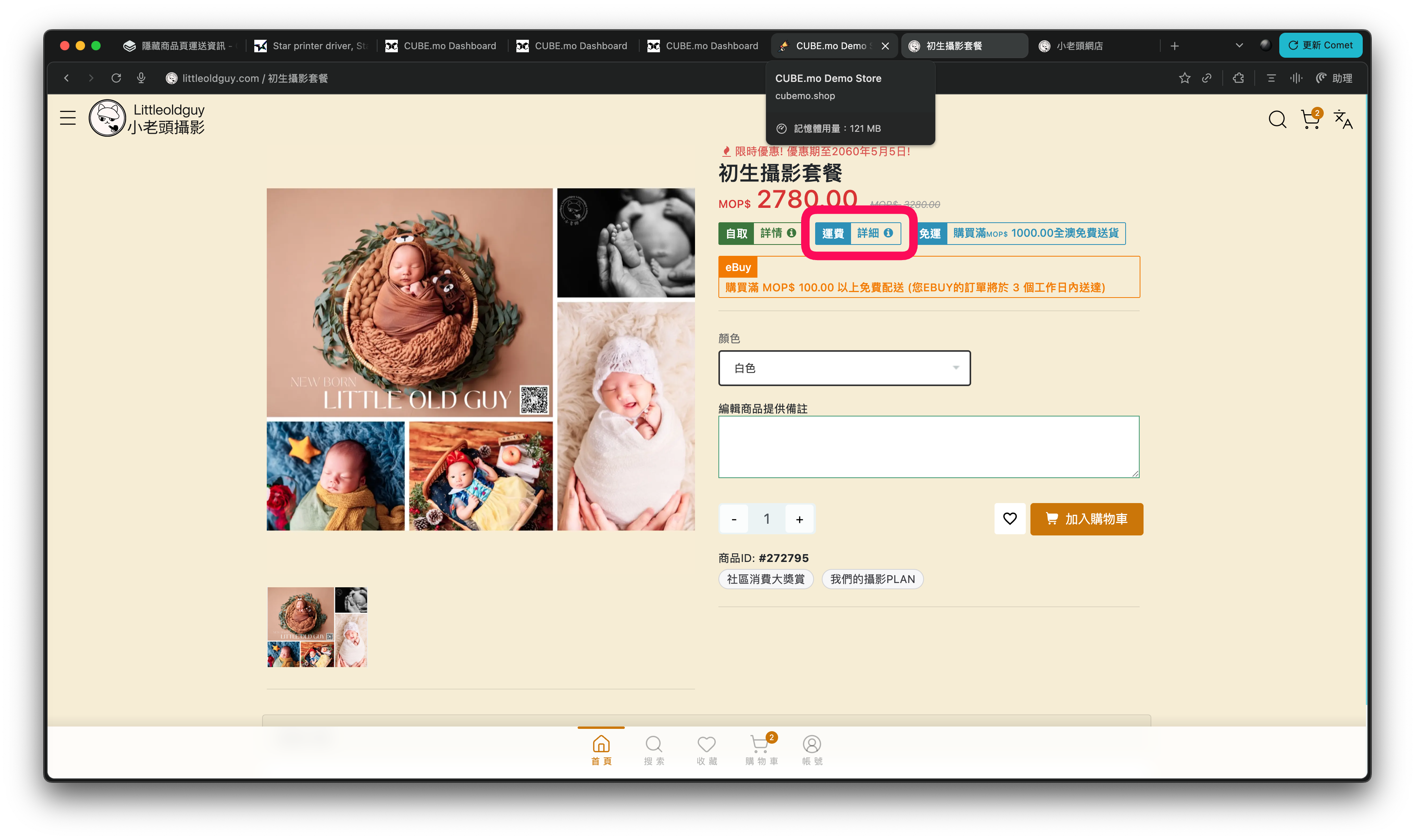
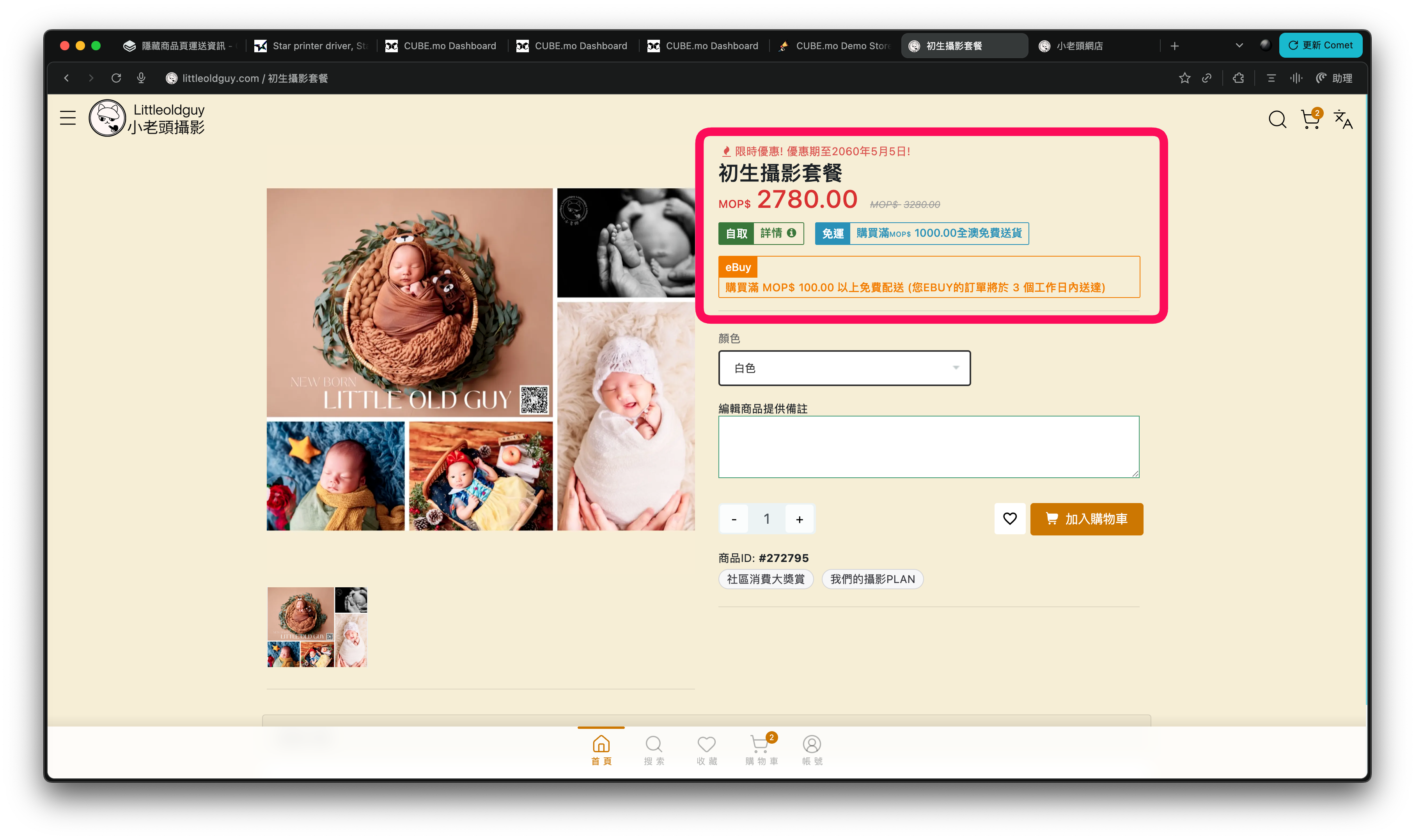
2. 啟用後，購物頁面上的運費明細欄位將不再顯示給顧客。![](/files/FZMAVGJ5bo2NhKjObIIp)
   1. 隠藏前

      <figure><img src="/files/jOYqXZOdXb6szpQ8cRF9" alt=""><figcaption><p>隠藏以下部份</p></figcaption></figure>

   2. 隠藏後

      <figure><img src="/files/LMO3iB1AD7OxJYXR8ySq" alt=""><figcaption><p>結果圖示</p></figcaption></figure>

   3.
3. 適合用於面交、自取或特殊營運模式，不必強制展示運送詳情。
4. 關閉此功能後，運送資訊會恢復正常顯示，顧客可查問各項配送細節。

###

### <mark style="background-color:orange;">隱藏免運費資訊</mark>

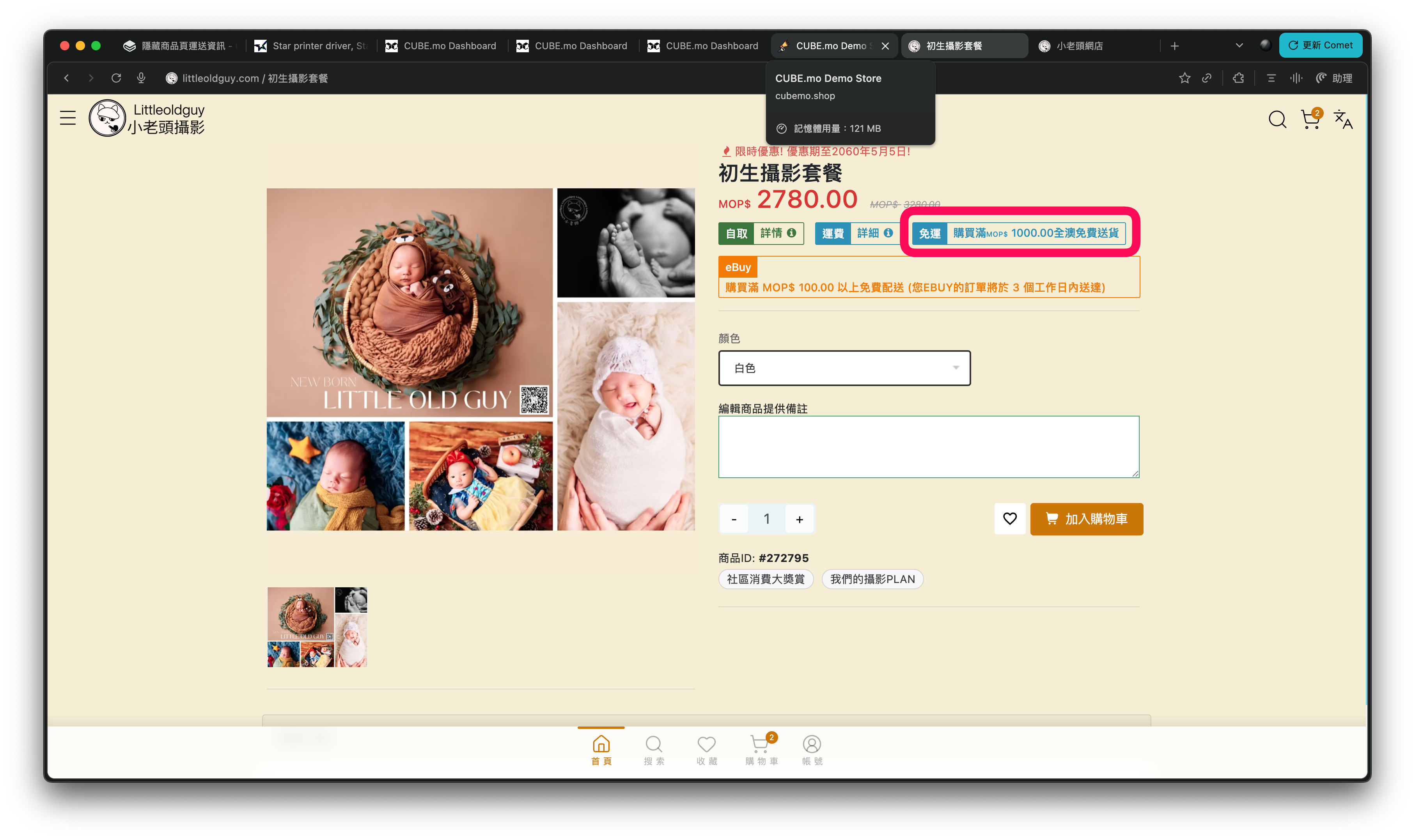
1. 如需在商品頁隱藏「免運費」提示，可啟用「<mark style="background-color:$warning;">隱藏免運費資訊</mark>」開關。![](/files/09tpkb5J6UjcT8EuBoHE)
2. 啟用後，商品詳情頁及購物流程將不再顯示免運費標誌或文字，僅展示訂單需付費相關訊息。

   <figure><img src="/files/CRAYKruwF9G7nnItpUrB" alt=""><figcaption></figcaption></figure>
3. 適合於特殊定價或不公開運費優惠的營運模式。![](/files/fzsmjFuwZHpBe2qBgABK)


---

# Agent Instructions
This documentation is published with GitBook. GitBook is the documentation platform designed so that both humans and AI agents can read, navigate, and reason over technical content effectively. Learn more at gitbook.com.

## Querying This Documentation
If you need additional information that is not directly available in this page, you can query the documentation dynamically by asking a question.

Perform an HTTP GET request on the current page URL with the `ask` query parameter, and the optional `goal` query parameter:

```
GET https://help.cube.mo/kai-dian-zhi-nan/wang-zhan-she-zhi/dian-pu-she-zhi/dian-pu-zi-xun/yin-cang-shang-pin-ye-yun-song-yun-fei-mian-yun-fei-deng-zi-xun.md?ask=<question>&goal=<endgoal>
```

`ask` is the immediate question: it should be specific, self-contained, and written in natural language.
`goal` is optional and describes the broader end goal you are ultimately trying to accomplish on behalf of the user. GitBook uses it to tailor the answer towards what is most useful for that goal.

The response will contain a direct answer to the question and relevant excerpts and sources from the documentation.

Use this mechanism when the answer is not explicitly present in the current page, you need clarification or additional context, or you want to retrieve related documentation sections.